Integrations · ServiceNow
Run PowerShell from a ServiceNow ticket
Your service desk works the ticket; PowerScripts runs the script. Pick the ticket as you type, fix the problem, and the run writes itself back as a work note. ServiceNow can be given one script and nothing else, and every run is in the audit trail with the ticket beside it.
Start from the ticket
Type an incident or request number into a run and PowerScripts finds it. It reads the ticket, suggests the script that fits, and marks the names, addresses and user names in the text so you can copy one straight into the form.
Finish on the ticket
Every run posts its result as a work note. A run that works can resolve the ticket with close notes, and a scheduled run that fails opens an incident for the service desk without anyone watching.
Let people serve themselves
A list owner attaches a spreadsheet to a ServiceNow request. PowerScripts checks she really owns the distribution list, applies the adds and removes, and puts the result on her request. The service desk never touches it.
Give it one script, not the keys
The ServiceNow integration signs in as its own user with its own role. Give that role a single script and anything else it asks for is refused, with the refusal recorded.
Recorded on a real instance
7 ServiceNow demos, 8 minutes
Every clip is the product running against a ServiceNow developer instance and a Microsoft 365 tenant, narrated, with captions and a full transcript on each page.
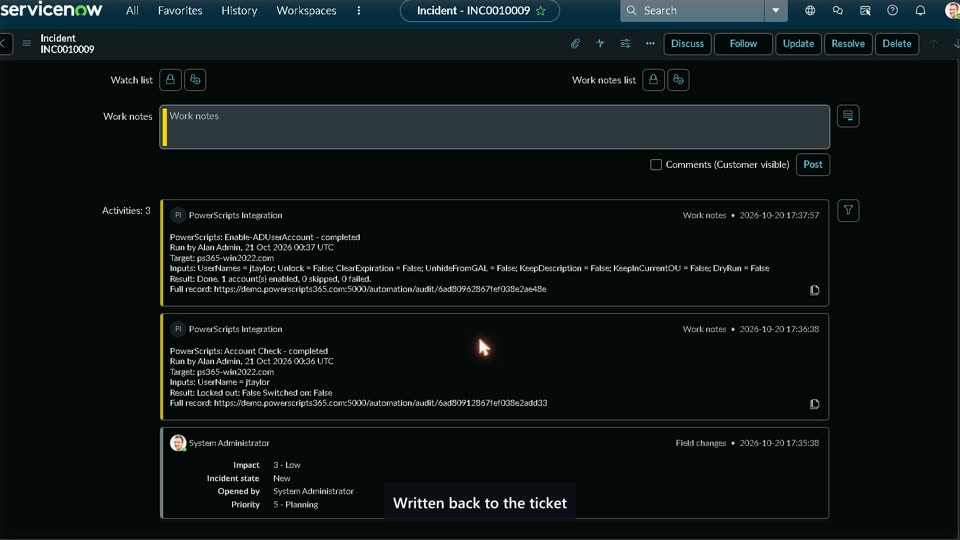 ▶ 1:05Ticket to fixedA ServiceNow ticket, start to finish. Pick it as you type, find the problem, fix it, and every run is written back to the ticket as a work note.
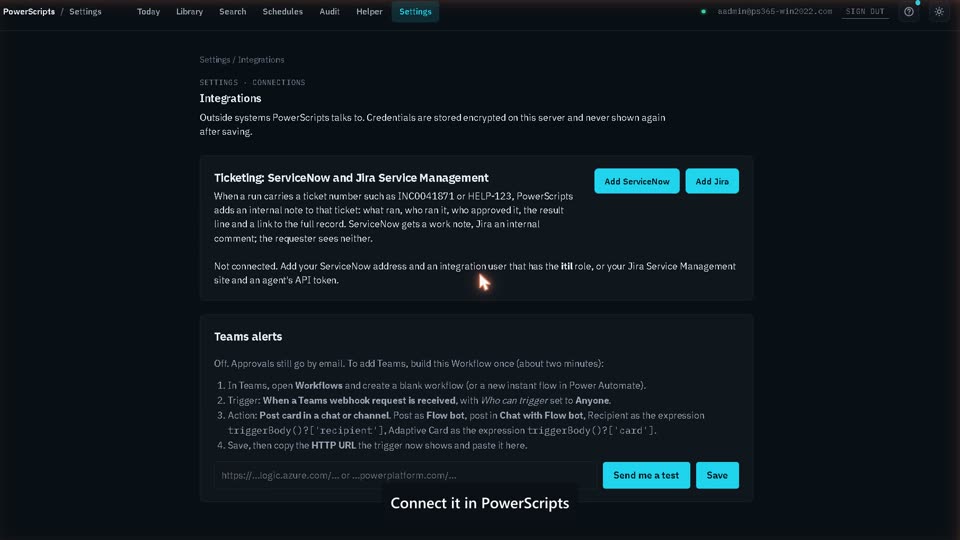 ▶ 1:18Connecting ServiceNowPoint PowerScripts at a ServiceNow instance with a service account that holds one role. Find a real ticket, add a work note, then switch on resolve-on-success and an incident when a schedule fails.
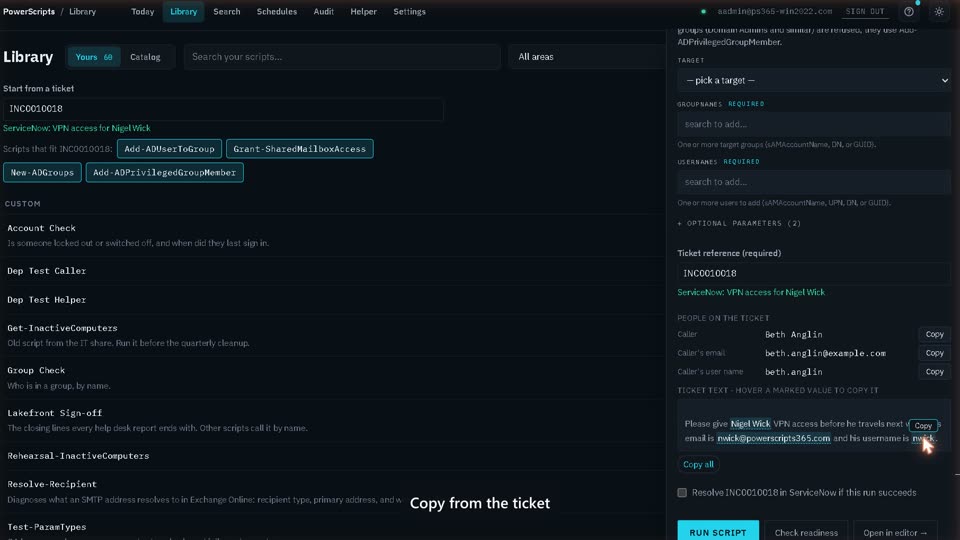 ▶ 0:43Copy it from the ticketStart from a ServiceNow ticket: PowerScripts suggests the script, marks the names, addresses and user names in the ticket, and copies one on hover.
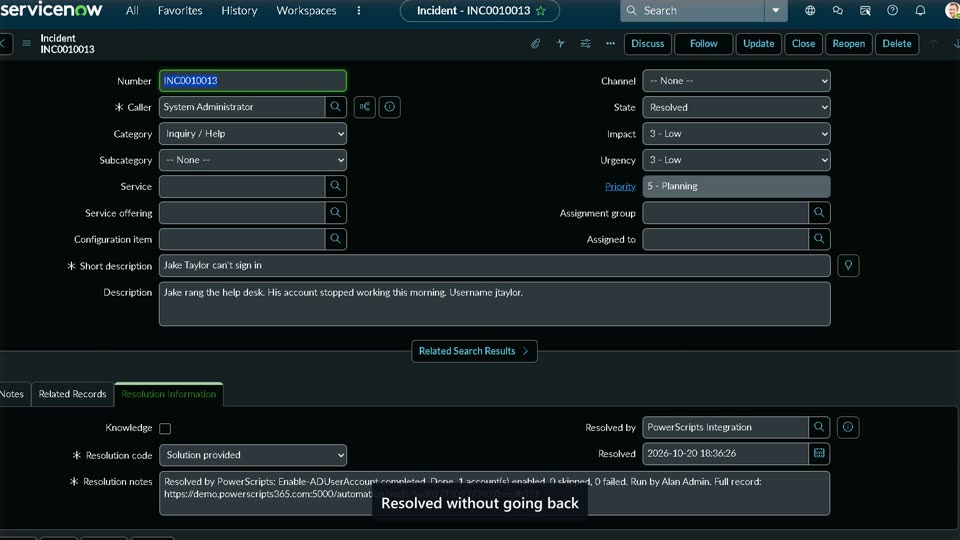 ▶ 1:05Close the loopA fix that resolves its own ServiceNow ticket when it works, and a failed nightly job that opens an incident for the service desk by itself.
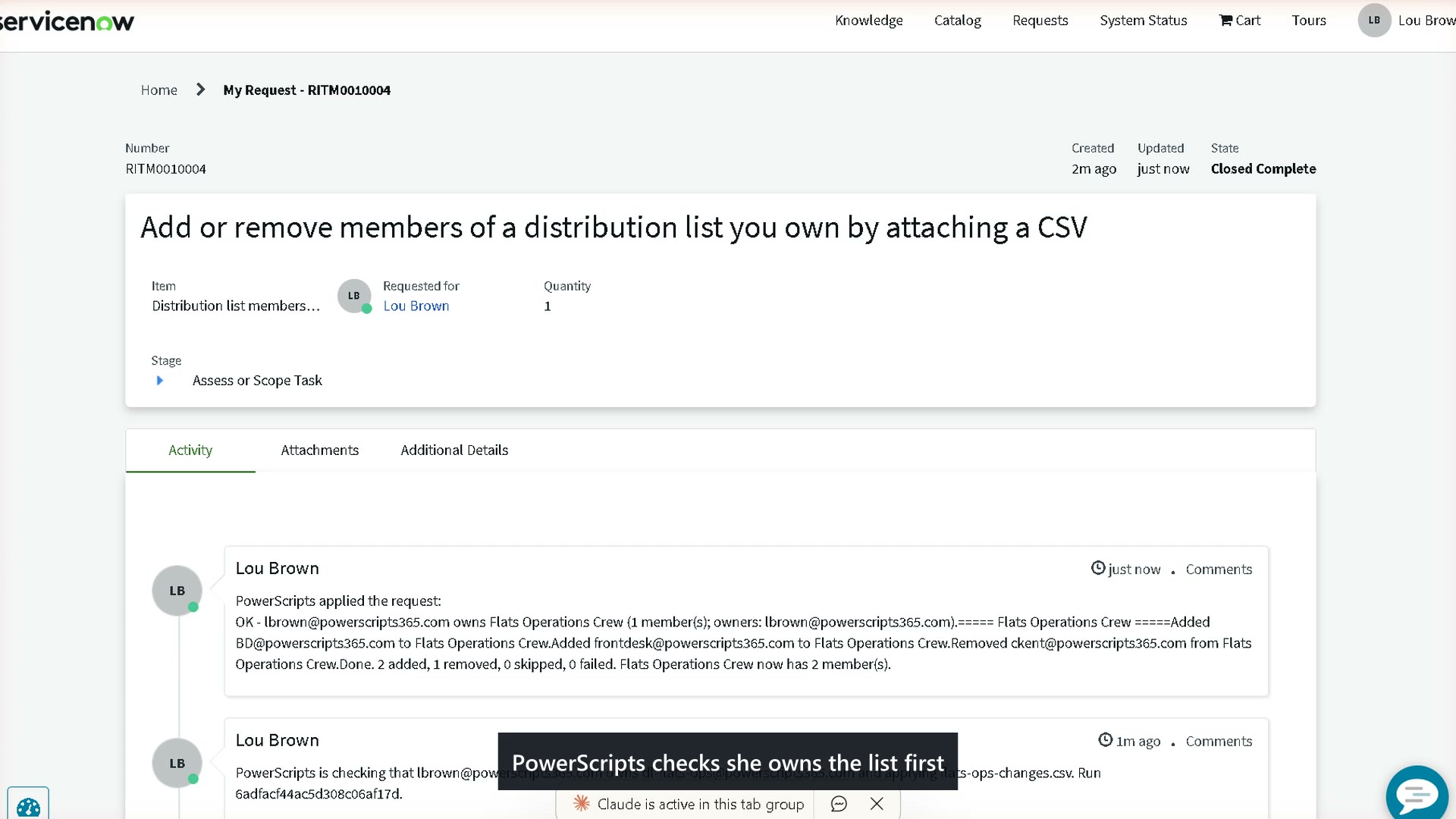 ▶ 1:16Self-service lists from ServiceNowA list owner attaches a spreadsheet to a ServiceNow request. PowerScripts proves she owns the list, applies the adds and removes, and the result lands on her request. IT never touched it.
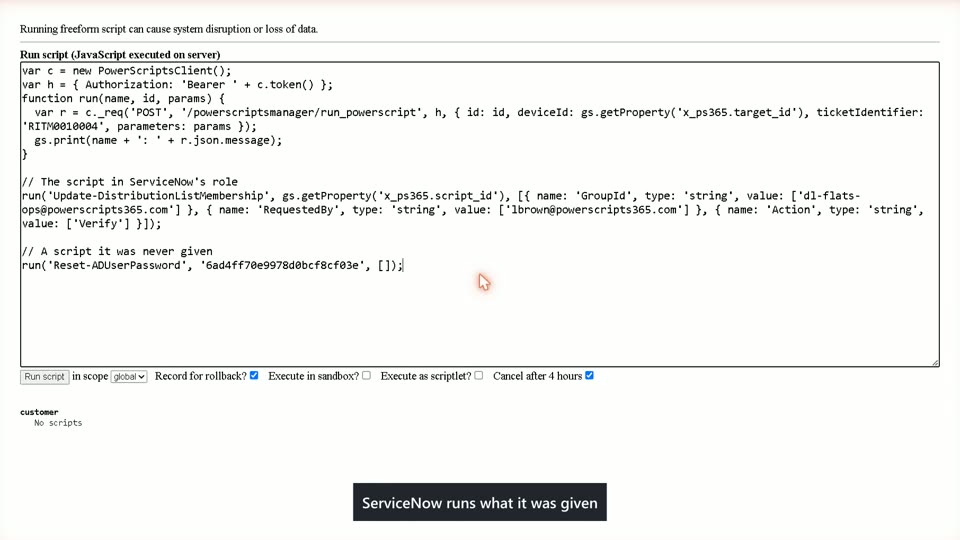 ▶ 0:56One script and nothing elseA role that lets the ServiceNow integration run one script and no other. The allowed script succeeds from a ServiceNow background script, a password reset is refused, and the audit trail shows both.
 ▶ 1:14Compliance on autopilotA ticket on every run, and a weekly report emailed without anyone pressing a button.
How it connects
A service account with one role
Create a user in ServiceNow, give it the itil role, and paste the instance address and that user's password into Settings, Integrations. Test it against a real ticket before you switch it on.
Through a MID Server
When ServiceNow starts the run, the call goes through your MID Server to PowerScripts on your own network. Nothing of yours has to be reachable from the internet.
On your own servers
Scripts run where you install PowerScripts, against your own Microsoft 365 tenant and Active Directory, with credentials that never leave the box.
Questions
Can ServiceNow run PowerShell scripts?
Yes. PowerScripts holds the scripts and the credentials, and ServiceNow calls it to run one. The script runs on your own server, not in ServiceNow, and the person or the ticket that asked for it is recorded against the run.
How does PowerScripts connect to ServiceNow?
With a service account in ServiceNow that holds the itil role, and the instance address. You paste those into Settings, Integrations and test the connection against a real ticket. Calls from ServiceNow into PowerScripts go through a MID Server, so nothing of yours has to be reachable from the internet.
Does the result go back on the ticket?
Every run writes its result to the ticket as a work note. A run that succeeds can resolve the ticket with close notes, and a scheduled run that fails can open an incident for the service desk by itself.
Can I stop ServiceNow from running anything other than the one script?
Yes. The ServiceNow integration is a user like any other, and a role gives it one script and no other. Anything else it asks for is refused and the refusal is in the audit trail.
Does any of this work with Jira?
Yes. Jira Service Management connects the same way, with the same write-back and the same role control.